How to Check Duplicate Content
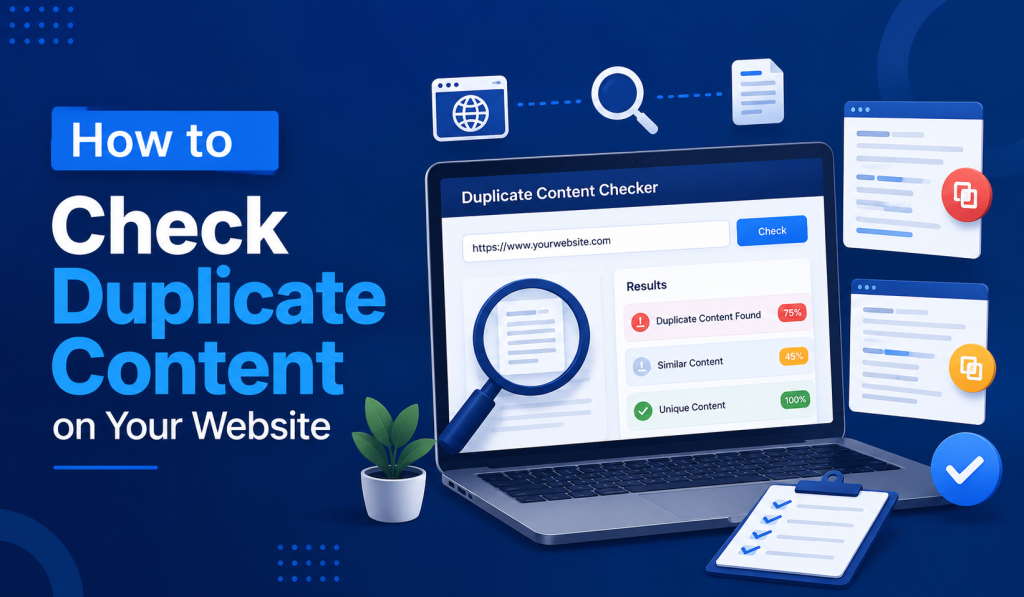
To check duplicate content, run your page or full site through a duplicate content checker that compares text, titles, and meta descriptions against other pages, both on your own site and across the web.
Google does not apply a direct penalty for duplicate content, but pages with duplicated text compete against each other in rankings, which weakens the overall visibility of both versions.
This guide covers the two types of duplicate content, how to check for each, and how to fix issues once found.
Internal vs External Duplicate Content
Duplicate content falls into two categories, and each requires a different check.
| Type | Definition | Common Cause |
|---|---|---|
| Internal duplication | The same or similar content appears on multiple pages of one site | Product pages, printer-friendly versions, URL parameters, pagination |
| External duplication | Content matches text published on a different domain | Copied content, syndicated articles, scraped pages |
Internal duplication usually causes more ranking damage than external duplication, since it splits ranking signals between competing pages on the same site.
How to Check for Internal Duplicate Content
1. Run a Site-Wide Scan
Use a Duplicate Content Checker to scan a full site for repeated text blocks, titles, and meta descriptions. This type of tool compares every page against every other page on the same domain and returns a uniqueness percentage for the site.
2. Check Title and Meta Description Overlap
Duplicate title tags and meta descriptions across multiple URLs count as a form of duplication, even when the body content differs. A scan that flags title and description duplication separately from body text makes this easier to isolate.
3. Review Flagged Pages Manually
Once a scan returns matches, open each flagged pair of pages side by side. Some matches are minor, such as shared boilerplate text or a repeated call-to-action, while others involve full paragraphs copied between product or category pages.
How to Check for External Duplicate Content
1. Search for a Unique Phrase
Copy a distinctive sentence from your page, wrap it in quotation marks, and search it directly in Google. Any other domain returning that exact phrase is hosting duplicate or copied content.
2. Use a Site-Wide Comparison Tool
A duplicate content checker that scans against external domains, not just your own site, catches scraped or syndicated content automatically instead of requiring manual phrase searches for every page.
3. Monitor New Content Regularly
Running a check shortly after publishing new pages catches scraping early, before a copied version has time to get indexed and compete with the original.
How to Fix Duplicate Content
| Issue | Fix |
|---|---|
| Multiple URLs showing the same content | Add a canonical tag pointing to the preferred version |
| Old or removed page with duplicate content | Use a 301 redirect to the correct URL |
| Filtered or parameter-based URLs | Add a noindex meta tag to keep the variant out of search results |
| Scraped content on another domain | Request removal or file a DMCA notice with the hosting provider |
A canonical tag is the most common and least disruptive fix, since it consolidates ranking signals to one URL without removing any page from the site.
Frequently Asked Questions
Does Google penalize duplicate content?
Google does not apply a direct penalty for duplicate content, but duplicated pages compete against each other in search results, which can lower the visibility of both.
What is the difference between internal and external duplicate content?
Internal duplication occurs across pages on the same site, while external duplication occurs when content matches text published on a different domain.
How do I check if my content was copied by another site?
Search for a distinctive sentence from your page in quotation marks on Google to see if another domain has published the same text.
What percentage of duplicate content is acceptable?
There is no official threshold, though a uniqueness score above 90 percent for a page generally indicates minimal risk of ranking competition from duplication.
Can duplicate title tags count as duplicate content?
Yes, repeated title tags and meta descriptions across multiple URLs are a form of duplication, even if the page body content differs.
How do I fix duplicate content between two pages on my own site?
Add a canonical tag on the duplicate page pointing to the preferred URL, which tells search engines which version to index and rank.
Should I use noindex or a redirect for duplicate pages?
Use a redirect when the duplicate page should no longer exist, and use noindex when the page needs to stay live but should not appear in search results.
Reviewed and published by Sidra Azeemi for DomainAgeChecker, a UK-based platform providing free SEO and content tools for webmasters and digital marketers. Read more on the About Us page.