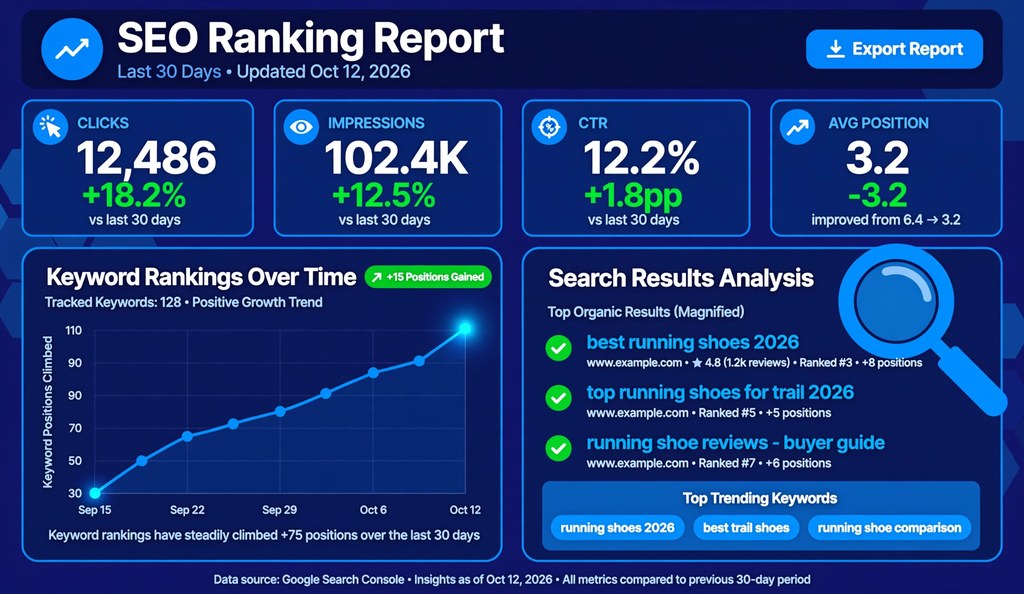
You check SEO ranking by finding the position your pages hold in search results for target keywords. Google Search Console gives the most accurate free ranking data, because the numbers come directly from Google. Manual searches, free online checkers, and paid rank trackers cover the remaining methods. As of October 2026, every website owner can check SEO ranking free with at least three reliable methods.
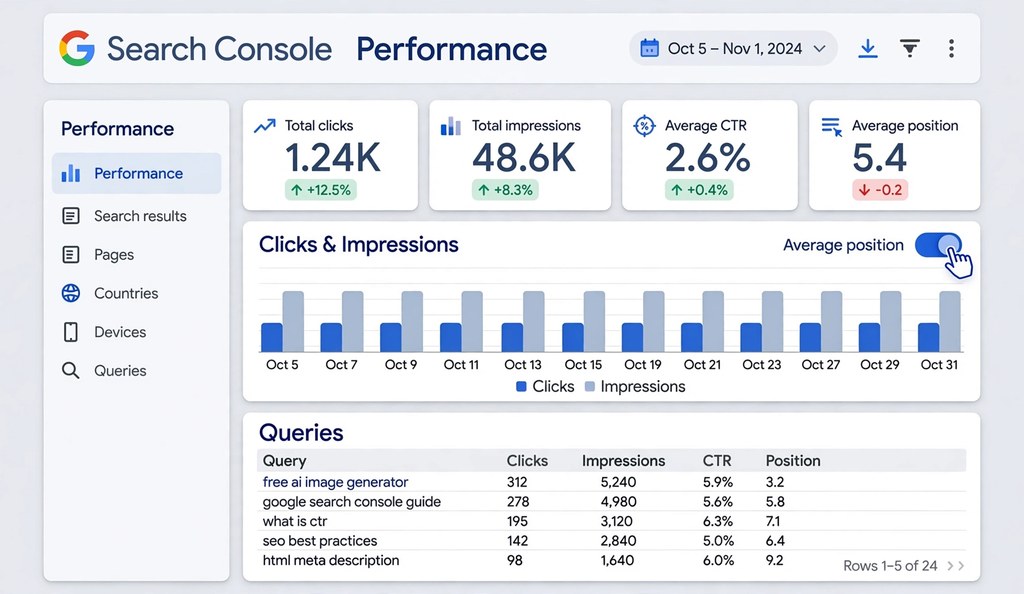
Featured Snippet: The fastest way to check SEO ranking is Google Search Console. Open the Performance report, turn on Average position, and read the Queries table. It lists clicks, impressions, CTR, and position for each keyword. Data comes directly from Google.
What “SEO Ranking” Means
SEO ranking is the position your page holds in organic search results for one specific keyword. Position 1 means your page appears as the first organic result. Position 11 means your page sits at the top of page two.
Several terms describe the same measurement. SERP ranking, keyword ranking, search engine ranking, and organic position all name the slot your page occupies on the search engine results page for a single query. To check website SEO ranking and to check SERP ranking are the same task.
Position matters because clicks concentrate at the top. First Page Sage published a CTR study in 2025 reporting that the number one organic result receives 39.8 percent of clicks while position ten receives 1.6 percent. The same study reports that the top three results capture 68.7 percent of all clicks on the page.
Rankings never stay fixed. Google adjusts results continuously based on algorithm updates, competitor changes, user behavior, and hundreds of ranking signals. Semrush Sensor measures daily Google volatility on a scale from 0 to 10, and scores between 2 and 5 count as normal fluctuation. A page can rank third in the morning and seventh by evening.
7 Ways to Check SEO Ranking
Each method below answers the same question with different accuracy, cost, and depth. Start with method one. Add others only when you need what the free methods cannot show.
1. Google Search Console (Free)
Google Search Console is the most accurate free way to check SEO ranking. Google supplies the data directly, so no estimation or third party approximation affects the numbers.
PAA: How do I check rankings in Google Search Console? Open the Performance report, enable the Average position metric, and read the Queries table for clicks, impressions, CTR, and position per keyword.
Follow these steps:
- Sign in to Google Search Console and select your verified property.
- Click Performance in the left navigation menu.
- Check the boxes for Total clicks, Total impressions, Average CTR, and Average position above the chart.
- Scroll to the Queries tab to see every keyword your site ranks for.
- Click any query to see which pages earn impressions for it.
The report shows four metrics for each keyword. Clicks count how many users clicked through to your site. Impressions count how many times your page appeared in results. CTR divides clicks by impressions. Average position shows your mean ranking for that keyword across the selected date range and filters.
Filter the report by page to check SEO ranking of a website page by page. Click the Add filter button, choose Page, select URLs containing, and enter part of the URL. To filter several pages at once, choose Custom regex under the same menu and separate values with a vertical bar.
Search Console has four limits. Data carries a two to three day delay, so you never see live positions. Average position is a mean across searches, devices, and locations, not one fixed number. Google retains performance data for 16 months, then deletes older records permanently. The Queries table caps at 1,000 rows and hides queries with very few searches. It also shows no competitor rankings.
2. Bing Webmaster Tools (Free)
Bing Webmaster Tools is the free equivalent of Search Console for Bing. It reports the queries, impressions, clicks, and average positions your pages earn on Bing. DuckDuckGo pulls much of its result data from Bing, so this one setup covers two search engines.
Follow these steps:
- Sign in to Bing Webmaster Tools with a Microsoft, Google, or Facebook account.
- Add your site by entering the URL or importing it from Google Search Console.
- Verify ownership with the provided meta tag, DNS record, or XML file.
- Open the Search Performance report under the Reports section.
- Review queries, impressions, clicks, and average position for Bing search.
Bing holds a smaller market share than Google, but it powers default search in Microsoft products such as Windows and Edge. Sites with business or older desktop audiences often find meaningful Bing traffic. Checking both engines gives a complete picture instead of a Google only view.
3. Manual Search in Private Browsing (Free)
A manual search gives the quickest single keyword spot check. It answers one question in seconds: where does my page appear right now.
Follow these steps:
- Open a private or incognito window in your browser, such as Chrome, Firefox, or Safari.
- Go to google.com and type your target keyword.
- Count your position among organic results only.
- Skip ads, featured snippets, AI Overviews, and People Also Ask boxes while counting.
Private browsing removes personalization from your search history and cookies. It does not remove location personalization. Google still reads your IP address, so a searcher in Karachi sees different results than a searcher in London for the same keyword.
Force a specific country by appending parameters to the Google URL. Add &gl=us for United States results, &gl=uk for United Kingdom results, or &gl=pk for Pakistan results. A VPN set to your target market achieves the same result with less effort.
Manual checks suit occasional spot checks on a few keywords. The method does not scale. Checking dozens of keywords by hand wastes hours and produces numbers nobody can reproduce exactly.
4. Free Online Rank Checkers (Free)
Free online rank checkers show a live snapshot of rankings for one keyword and domain at a time. You enter a keyword and a website address, and the tool returns the current position plus nearby competitors.
These tools help when you need a quick external confirmation without signing up anywhere. Ahrefs offers a free SERP checker that shows the top ten results with domain metrics. Several independent checker sites provide similar one off lookups.
Free checkers carry clear limits. They show today only, with no historical tracking. Most cap the number of daily checks. Few let you choose a precise city or device. Treat them as spot check instruments, not monitoring systems.
5. Paid Rank Trackers
Paid rank trackers monitor keyword positions daily and store the history. They suit professionals who track hundreds of keywords across locations and devices.
Two products dominate this category. Ahrefs Rank Tracker updates positions daily, scores overall visibility, tracks SERP features such as featured snippets, compares up to ten competitors, and splits mobile and desktop results. Ahrefs lists its Lite plan at 129 dollars per month with 750 tracked keywords. Semrush Position Tracking updates daily, detects keyword cannibalization when multiple pages target one term, tracks local positions by city or ZIP code, and emails automated reports. Semrush lists its Pro plan at 139 dollars per month with 500 tracked keywords across five projects.
Choose a paid tracker when free methods leave gaps. You need one when you track more than fifty keywords, when competitors matter, or when clients expect scheduled reports. Below that scale, Search Console covers the need at no cost.
6. Google Analytics 4 Linked With Search Console
Linking Search Console to Google Analytics 4 puts ranking data beside traffic and conversion data. Rankings alone never tell the full story. A keyword at position five that drives two hundred conversions per month beats a keyword at position one that drives none.
Follow these steps:
- Open Google Analytics 4 and go to Admin settings.
- Find Product Links and select Search Console Links.
- Click Link and choose your verified Search Console property.
- Complete the linking flow and confirm the association.
- Open Reports, then Search Console, then Queries to see queries with position data beside sessions, engagement rate, and conversions.
The linked report inherits Search Console limits, including the two to three day data delay. It adds business context that raw position numbers lack. Prioritize keywords by revenue impact, not by position alone.
7. SERP APIs for Developers and Agencies
SERP APIs return ranking data programmatically at large scale. Agencies tracking tens of thousands of keyword location combinations use them to feed custom dashboards.
Popular providers include SerpApi, DataForSEO, and ValueSERP. Pricing starts near 50 dollars per month for tens of thousands of credits, with pay as you go options available. Developers query an endpoint with a keyword, location, device, and search engine, then receive structured JSON with positions, URLs, and SERP features.
This method serves agencies, SaaS products, and developers building rank tracking features. Individual site owners gain nothing from API complexity that Search Console already handles.
Comparison of All 7 Methods
| Method | Cost | Accuracy | Live Data | History | Competitor Data | Best For |
|---|---|---|---|---|---|---|
| Google Search Console | Free | High, direct from Google | No, 2 to 3 day delay | Yes, 16 months | No | Every website owner |
| Bing Webmaster Tools | Free | High, direct from Bing | No, short delay | Yes | No | Sites with Bing traffic |
| Manual private search | Free | Low, personalized | Yes | No | Visible on page | Quick spot checks |
| Free online checkers | Free | Medium | Yes, snapshot | No | Limited | Occasional lookups |
| Paid rank trackers | From 129 dollars per month | High | Daily updates | Yes | Yes | Professionals, agencies |
| GA4 plus Search Console | Free | High | No, 2 to 3 day delay | Yes | No | Business impact analysis |
| SERP APIs | From 50 dollars per month | High | On demand | Build your own | Yes | Developers, large agencies |
How to Read Your Ranking Report
Read four metrics together, never position alone. Clicks, impressions, CTR, and average position each answer a different question about performance.
High impressions with low CTR signal a title problem, not a ranking problem. Your page appears, but searchers choose other results. Test title and description rewrites before chasing higher positions. A SERP snippet preview tool shows exactly how your title and description render on Google before you publish changes.
Positions four through twenty deserve the most attention. SEOs call this band striking distance. Pages here already rank on page one or two, so small improvements in content depth, internal linking, or page speed can push them onto page one where clicks multiply. Export your Search Console queries, filter for average position between 4 and 20 with meaningful impressions, and work that list first.
Falling positions with steady impressions point to stronger competitors or content decay. Falling impressions point to shrinking demand or lost indexation. Diagnose the pattern before acting.
Why Your Rankings Change
Rankings change because search results respond to hundreds of shifting signals. Expect movement. React only to sustained trends.
Daily fluctuation is normal. Semrush Sensor scores between 2 and 5 on its 0 to 10 scale on ordinary days. Algorithm updates cause larger swings several times per year. Competitors publish better content and earn stronger links, which displaces existing results. Personalization tailors results by location, device, and search history, so two users see different orders for one query.
Distinguish noise from signal with date comparisons. In Search Console, compare the last 28 days against the previous 28 days for the affected queries and pages. A drop across many queries after a known update date suggests an algorithm impact. A drop on one page suggests a page level issue such as broken elements, removed content, or new competition.
What to Do After You Check Your Ranking
Checking without acting wastes the data. Each finding below maps to a concrete fix.
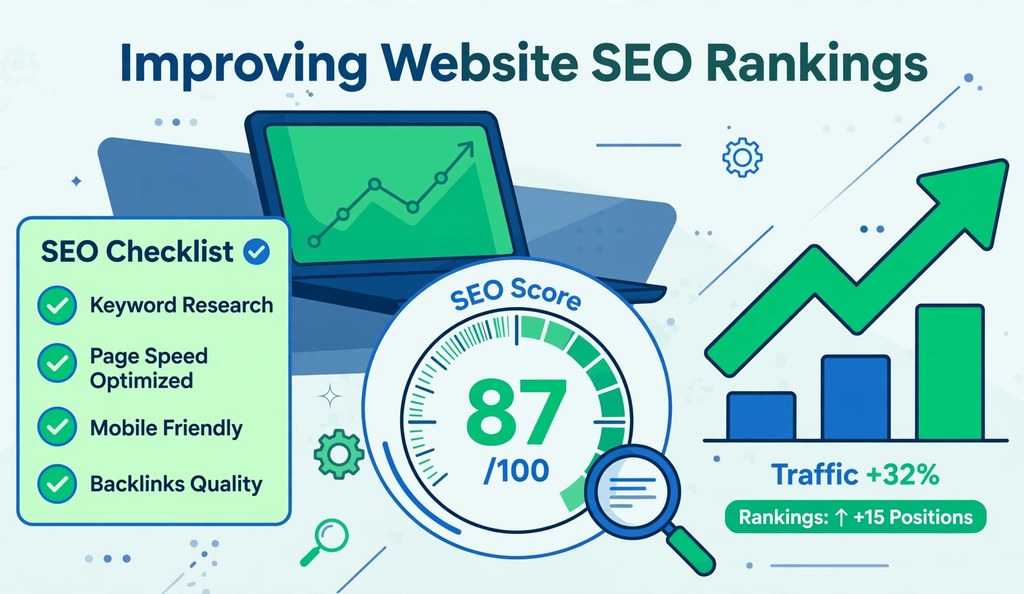
- Run an on-page SEO analyzer on pages stuck in striking distance. Fix missing title tags, short meta descriptions, and weak heading structure first.
- Rewrite titles and descriptions with low CTR using the SERP snippet preview tool. Keep titles under 60 characters and descriptions under 160 characters.
- Test page speed with a free website speed tester. Slow pages lose both rankings and visitors.
- Check mobile usability with a mobile SEO checker. Google indexes the mobile version of pages first.
- Review keyword usage with a keyword density checker. Pages need clear topical focus without stuffing.
- Assess readability with a content quality checker. Clear content earns longer visits and more links.
- Check domain history with a domain age checker before buying an existing domain for a new project. Past spam or penalties transfer with the domain.
Recheck rankings four to six weeks after changes. SEO compounds slowly, and early noise hides real movement.
Frequently Asked Questions
How do I check my SEO ranking for free?
Use Google Search Console. It costs nothing, needs minutes to set up, and reports clicks, impressions, CTR, and average position directly from Google.
How do I check my website’s Google ranking for a specific keyword?
Filter the Search Console Performance report by that keyword. Type the keyword in the Queries filter to see its clicks, impressions, CTR, and average position for your pages.
What is the most accurate way to check keyword rankings?
Google Search Console provides the most accurate free data. Paid trackers such as Ahrefs and Semrush add daily precision, location control, and competitor comparison.
Why does Google show my site at a different position than a rank checker shows?
Personalization, location, device, and timing all shift results. Your browser history, IP based location, and mobile versus desktop context change the order you see.
How often should I check my SEO rankings?
Review rankings weekly and judge trends monthly. Daily checks surface noise. Monthly comparisons reveal real movement.
Can I check my competitor’s SEO ranking?
Yes, with paid tools. Ahrefs and Semrush estimate competitor keyword positions and traffic. Search Console shows only your own data.
What is a good SEO ranking position?
Positions one through three earn the majority of clicks. First Page Sage reported in 2025 that the top three organic results capture 68.7 percent of clicks.
Why did my SEO ranking drop suddenly?
Common causes include Google algorithm updates, stronger competitor content, technical errors, and removed or changed page content. Compare date ranges in Search Console to isolate the pattern.
Does checking my own ranking hurt my SEO?
No. Viewing your own rankings changes nothing in Google’s index. It generates no signal that affects positions.
How long does it take to see ranking improvements after SEO changes?
Expect visible movement in four to twelve weeks. Google must recrawl the page, process the changes, and test the result against competing pages.
What is the difference between checking and tracking rankings?
Checking answers where you rank right now. Tracking records positions on a fixed schedule against a frozen keyword list to reveal trends. One snapshot never proves a trend.
Which free rank checker is the best?
Google Search Console is the best free option for your own site. For one off checks of any domain, established free SERP checkers give quick snapshots without accounts.
Should I check rankings on Bing as well as Google?
Yes, if your audience uses Microsoft products. Bing Webmaster Tools is free, setup takes minutes, and DuckDuckGo reuses Bing data.
Conclusion
Check SEO ranking with Google Search Console first, because Google supplies the data directly at no cost. Add Bing Webmaster Tools for non Google engines, manual private searches for quick spot checks, and paid trackers when you need daily data or competitor positions. Read clicks, impressions, CTR, and position together, focus effort on striking distance keywords in positions four through twenty, and judge progress on monthly trends instead of daily noise. Recheck four to six weeks after each round of fixes.
For background on the discipline behind these methods, see this overview of search engine optimization.

