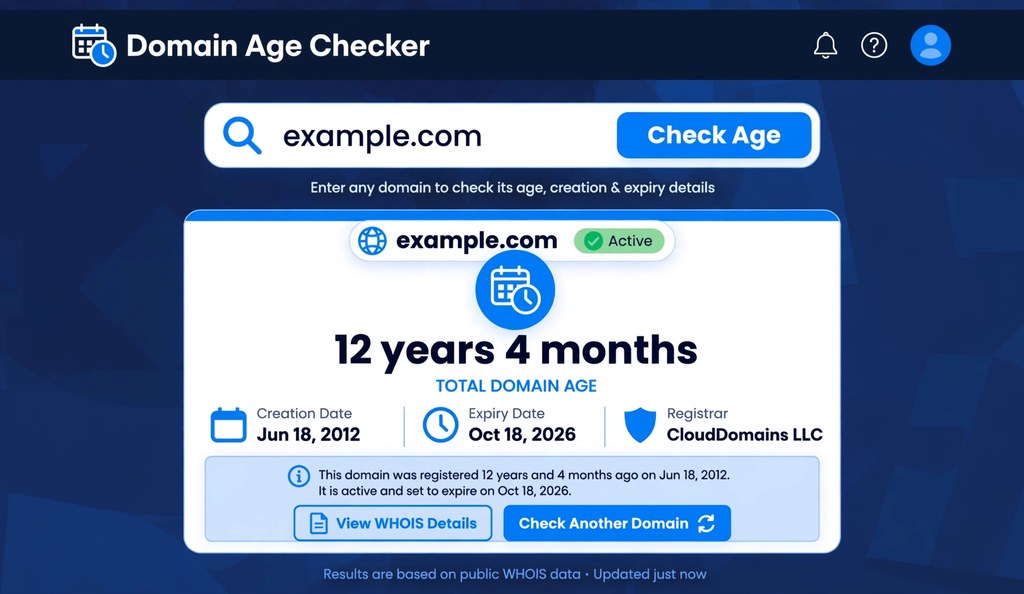
To check domain age, you find the date a domain was first registered and calculate the time elapsed since then. A free domain age checker returns the exact age in years, months, and days within seconds. WHOIS records, ICANN Lookup, and the Wayback Machine provide the same data manually. As of October 2026, every method below works for any public domain extension, including .com, .net, .org, and .co.uk.
Featured Snippet: Check domain age by entering the domain in a free domain age checker tool. It reads the creation date from WHOIS or RDAP records and calculates the age. ICANN Lookup and the Wayback Machine verify the result manually.
What Is Domain Age?
Domain age is the time elapsed since a domain name was first registered. A domain created on 15 March 2015 is 11 years old in October 2026. The count starts at registration, not at website launch.
Domain age differs from website age. A domain registered in 2010 but parked empty until 2024 has a domain age of 16 years and a website age near zero. Search engines treat the two differently. Registration history shows longevity of ownership. Content history shows longevity of actual publishing.
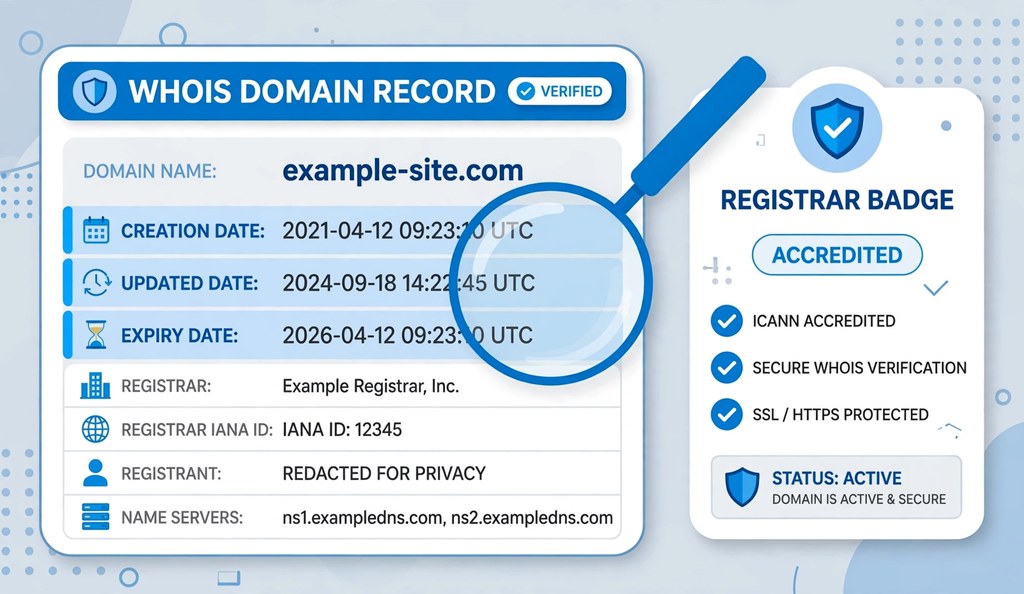
Three dates define a domain’s record. The creation date marks first registration. The updated date marks the last change to the record, such as renewal or transfer. The expiry date marks when the current registration ends. A domain age checker displays all three.
4 Free Ways to Check Domain Age
Each method reads the same underlying registration data. Start with method one for speed. Use the others to verify.
1. Use a Domain Age Checker Tool (Fastest)
A domain age checker tool is the fastest way to check domain age. It queries the registry, calculates the age, and formats the result in one step.
Follow these steps:
- Open a free domain age checker.
- Type the domain name without http or www, for example example.com.
- Click the check button and wait a few seconds.
- Read the age in years, months, and days plus the creation, updated, and expiry dates.
The tool reads live RDAP data, the modern replacement for WHOIS. Results match official registry records. Use this method for quick lookups during competitor research or domain shopping.
2. ICANN Lookup (Official Source)
ICANN Lookup is the official source for domain registration data. ICANN, the Internet Corporation for Assigned Names and Numbers, operates it at lookup.icann.org. It queries registries directly through RDAP, the Registration Data Access Protocol.
Follow these steps:
- Go to lookup.icann.org.
- Enter the domain name and submit the search.
- Find the “Registered On” field for the creation date.
- Subtract that date from today to get the age.
ICANN Lookup shows raw, unfiltered records, including domain status codes and registrar details. Use it to double check any result before a purchase decision. When privacy protection hides the owner, the dates remain visible.
3. WHOIS Lookup
A WHOIS lookup returns the full public registration record for a domain. WHOIS is the legacy protocol that RDAP replaces. Many free WHOIS sites still serve the data in readable form.
Follow these steps:
- Open a WHOIS lookup site such as whois.is or whois.domaintools.com.
- Enter the domain name and run the search.
- Locate the “Creation Date” or “Registered On” field.
- Note the “Expiry Date” and “Updated Date” fields beside it.
WHOIS records also reveal the registrar, name servers, and domain status. Status codes such as clientTransferProhibited indicate locks that prevent unauthorized transfers. A clean record with consistent dates signals stable ownership.
4. Wayback Machine (Content History)
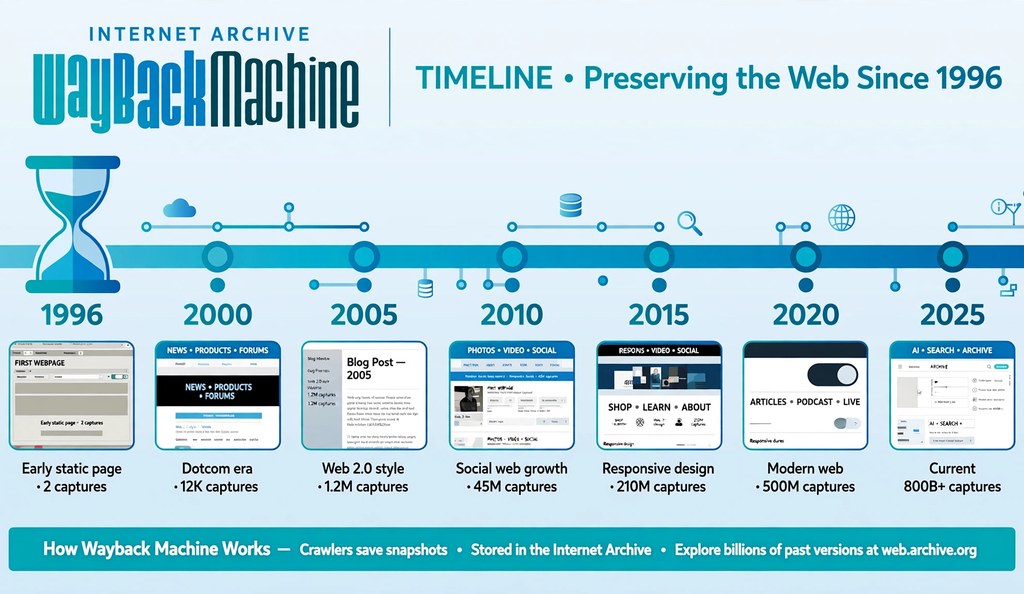
The Wayback Machine shows when a website first appeared online. The Internet Archive has captured website snapshots since 1996. The first snapshot of a domain approximates its content age.
Follow these steps:
- Go to web.archive.org.
- Enter the domain name in the search field.
- Open the earliest available snapshot on the timeline.
- Compare that date with the WHOIS creation date.
A domain registered in 2009 whose first snapshot dates to 2023 was likely dropped and re-registered. The registration age looks old, but the content history is new. Search engines weigh the active history more than the registration date. Always cross check age tools with the archive before trusting the number.
How to Read a Domain Age Report
Read three dates and one calculation. The creation date gives the birth of the domain. The updated date shows the last record change. The expiry date shows when renewal is due. The age equals today minus the creation date.
An unchanged creation date across years signals continuous ownership, which is the strongest pattern. A recent updated date with an old creation date usually means a routine renewal or registrar transfer, not a reset. A creation date that looks new for a supposedly old brand means the domain dropped and someone re-registered it.
Watch the expiry date when buying. A domain expiring next month needs immediate renewal after purchase. A domain renewed for five more years shows an owner with long term plans.
What Domain Age Cannot Tell You
Domain age cannot tell you how the domain was used. The number measures registration time, not content quality or reputation.
Content consistency matters more than years. A ten year old domain that changed topics five times carries little topical authority. A domain that served one niche for a decade with steady content earns trust that the raw number only hints at.
Drops reset value. When owners let a domain expire, it returns to the market and loses most accumulated search equity on re-registration. The new creation date exposes the drop, but some tools cache old dates, so verify with ICANN Lookup.
Past penalties survive in search memory. A previous owner may have hosted spam, malware, or thin affiliate pages. Age never washes that history clean. Check the Wayback Machine for past content and review the backlink profile before investing.
Trademarks override age. An old domain matching a protected brand invites legal action regardless of registration date. Search trademark databases before building on any aged name.
Why Check Domain Age?
People check domain age to judge trust, value, and risk. Five situations call for it.
Domain buyers verify age before paying. Older domains with clean histories command higher prices, especially names registered in the 1990s or early 2000s with continuous ownership. Age supports the price only when the history is clean.
SEO professionals research competitors. A rival outranking you on a two year old domain wins through content and links, which you can replicate. A rival winning on a twenty year old domain with deep link history needs a longer campaign to displace.
Security teams filter phishing. Attackers register fresh domains for scams because they cost little and discard easily. A bank email linking to a three day old domain is almost certainly fraud. Legitimate institutions hold domains for decades.
Email marketers protect deliverability. Internet providers treat new sending domains with suspicion. Aged domains with clean sending records reach inboxes more reliably.
Site owners audit their own portfolios. Checking creation and expiry dates across owned domains prevents accidental drops of valuable names.
Domain Age and SEO: What Actually Matters
Domain age alone does not raise rankings, but the history behind it can. Google’s John Mueller has stated that domain age helps nothing by itself. Older domains often rank well because they had more time to earn backlinks, publish content, and build brand recognition.
The useful question is never how old the domain is. It is what the domain did with those years. Continuous ownership, consistent topical content, natural link growth, and clean history create the advantage people mistake for age. A detailed breakdown covers this fully in our guide on whether domain age affects SEO.
Frequently Asked Questions
How do I check the age of a domain for free?
Enter the domain in a free domain age checker. It returns the age in years, months, and days plus creation, updated, and expiry dates within seconds.
What is the difference between domain age and website age?
Domain age counts from registration. Website age counts from first published content. A domain can be old while its website is new.
Can I check domain age without a tool?
Yes, with ICANN Lookup or the Wayback Machine. ICANN Lookup shows the official creation date. The Wayback Machine shows the first archived snapshot.
Why do different tools show different ages for the same domain?
Tools refresh their caches at different times and some read reseller data instead of registry data. ICANN Lookup gives the authoritative answer.
Does domain age reset when ownership changes?
No, if the transfer completes without expiry. The creation date survives normal transfers. A drop and re-registration creates a new creation date.
What is a good domain age for SEO?
There is no magic number. Domains older than three to five years with continuous ownership and clean history tend to perform better, but content and links matter more.
How do I check when a domain expires?
Read the expiry date in any domain age report. The domain age checker shows it beside the creation date.
Can a domain age checker detect dropped domains?
It shows the current creation date, which exposes re-registration. Compare that date with Wayback Machine snapshots to confirm the drop.
Is an old domain always valuable?
No. Age without clean history, consistent content, and natural backlinks adds little value. A spammed ten year old domain is a liability.
Does renewing a domain early increase its age?
No. Renewal extends the expiry date and updates the record date. The creation date and age stay unchanged.
What does the updated date mean in WHOIS?
It marks the last change to the registration record. Renewals, transfers, and contact updates all refresh it. It does not affect the age calculation.
Can I check the age of country domains like .co.uk?
Yes. RDAP and WHOIS cover country extensions, and most checker tools handle them, including .co.uk, .de, and .pk.
Should I buy an aged domain for a new project?
Only after verifying clean history. Check the age, review Wayback snapshots for past content, inspect backlinks for spam, and confirm no trademark conflicts.
Conclusion
Check domain age with a free checker tool for speed, ICANN Lookup for authority, WHOIS for full records, and the Wayback Machine for content history. Read the creation, updated, and expiry dates together, and look beyond the number at consistency, drops, penalties, and trademarks. Age supports trust only when the history behind it is clean. Verify before you buy, and recheck your own domains before renewals lapse.
For background on how names are organized online, see this overview of the domain name system.

