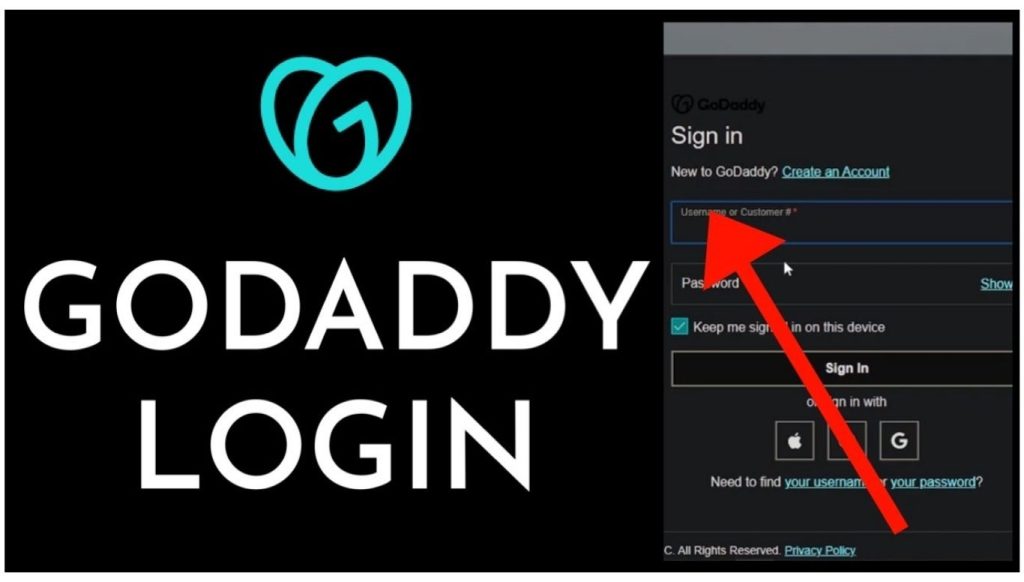
Go daddy login refers to signing into GoDaddy-connected services such as Workspace Email or cPanel hosting, separate from the main account dashboard. Many users searching this term want to access a custom business email address or a hosting control panel rather than billing settings.
This guide covers three specific login paths: GoDaddy Workspace Professional Email, GoDaddy cPanel hosting, and Microsoft 365 accounts purchased through GoDaddy. Each service uses its own sign-in page and credentials, which differ from the main GoDaddy account login.
GoDaddy email aur hosting thodi mahngi ho sakti hai. Agar aap sasti domains dhoond rahe hain, to Go Daddy alternative domain registration ke options behtareen hain.
Go Daddy Workspace Email Login
GoDaddy Workspace Email gives users a custom email address, such as info@yourdomain.com, hosted on GoDaddy servers. The login page for this service is separate from the domain account login.
- Go to email.godaddy.com or open webmail.secureserver.net.
- Enter your full email address, for example info@yourdomain.com.
- Enter the email account password set during Workspace Email setup.
- Click Sign In to open the webmail inbox.
Setting Up Email Login for the First Time
- Log into the main Go Daddy account at godaddy.com/login.
- Go to My Products > Email & Office.
- Select the domain email account and click Manage.
- Create the email address and set a password if not already done.
- Use that email address and password on email.godaddy.com to log in going forward.
GoDaddy Email Login on Mobile Devices
GoDaddy Workspace Email works with standard mobile mail apps through IMAP or POP settings.
- Open the mail app on the phone (Mail on iOS or Gmail app on Android).
- Add a new account and select Other or IMAP.
- Enter the full email address and password.
- Enter imap.secureserver.net as the incoming server and smtpout.secureserver.net as the outgoing server.
- Save the settings to complete setup.
Go Daddy Email Login in Outlook and Desktop Mail Clients

Desktop mail clients such as Outlook, Thunderbird, and Apple Mail also support Go Daddy Workspace Email through manual configuration.
- Open the mail client and select Add Account.
- Choose Manual Setup or IMAP/POP instead of automatic configuration.
- Enter the email address and password.
- Set the incoming mail server to imap.secureserver.net on port 993 with SSL enabled.
- Set the outgoing mail server to smtpout.secureserver.net on port 465 or 587 with SSL enabled.
- Save the account and send a test email to confirm the setup works.
Managing Multiple Go Daddy Email Accounts
Business owners with several employees often manage multiple Workspace Email accounts under one domain. Each account holds its own login credentials, so a shared admin login does not exist for daily inbox access.
- Log into go daddy.com/login with the main account.
- Go to My Products > Email & Office.
- Click Manage next to the email plan to view all active mailboxes.
- Select Add User to create a new email address under the same domain.
- Assign a temporary password for the new user, which they can change after their first login.
Administrators can reset passwords for any mailbox under the plan directly from this panel, without needing the original password.
GoDaddy cPanel Hosting Login
cPanel is the control panel used to manage GoDaddy web hosting accounts, including file management, databases, and email accounts tied to hosting plans. It gives access to server-level tools that the main GoDaddy dashboard does not show directly.
- Go to godaddy.com/login and sign in with the main account credentials.
- Go to My Products > Web Hosting.
- Click Manage next to the hosting plan.
- Click cPanel Admin to open the control panel directly.
Direct cPanel Login Without the Main Account
Users with cPanel credentials can also log in directly through a specific URL format.
- Type the hosting server address followed by :2083 in the browser, for example yourdomain.com:2083.
- Enter the cPanel username provided by GoDaddy.
- Enter the cPanel password.
- Click Log in to open the control panel.
GoDaddy sends cPanel login details by email when a hosting plan activates. Save this information, since it differs from both the main account password and the Workspace Email password.
What cPanel Login Gives Access To
cPanel organizes hosting management tools into clear categories after login.
- File Manager: Uploads, edits, and organizes website files directly on the server.
- MySQL Databases: Creates and manages databases for WordPress and other applications.
- Email Accounts: Sets up hosting-level email addresses separate from Workspace Email.
- Backup Wizard: Downloads or restores full account backups.
- Software Installer: Installs WordPress and other applications with a few clicks.
Resetting a Lost cPanel Password
- Log into the main GoDaddy account at godaddy.com/login.
- Go to My Products > Web Hosting and click Manage.
- Select Settings and click Reset cPanel Password.
- GoDaddy generates a new password and displays it in the dashboard.
- Use the new password to log into cPanel directly.
GoDaddy Microsoft 365 Login
GoDaddy resells Microsoft 365 email plans alongside its own Workspace Email product. Microsoft 365 accounts purchased through GoDaddy use Microsoft’s login page rather than GoDaddy’s webmail system.
- Go to outlook.office.com or portal.office.com.
- Enter the full email address linked to the Microsoft 365 account.
- Enter the password set during account activation.
- Click Sign In to open the Outlook web inbox.
GoDaddy manages billing and initial setup for these accounts, but day-to-day email access happens entirely through Microsoft’s platform, not through email.godaddy.com.
Troubleshooting Go Daddy Email and cPanel Login
| Issue | Likely Cause | Fix |
|---|---|---|
| Email login rejected | Wrong password or inactive account | Reset password from My Products > Email & Office |
| Webmail page not loading | Incorrect login URL | Use email.godaddy.com or webmail.secureserver.net |
| cPanel login fails | Wrong port or expired hosting plan | Confirm hosting is active and use port 2083 |
| Mobile email not syncing | Incorrect server settings | Re-enter IMAP and SMTP server addresses |
| Microsoft 365 login fails | Using GoDaddy webmail URL instead of Microsoft’s | Log in at outlook.office.com instead |
| New employee cannot access email | Account not yet created under the plan | Add the user from My Products > Email & Office |
Agar aapko professional email ke bajaye apne main account billing ya domains ko manage karna hai, to hamara main GoDaddy login guide dekhein.
Frequently Asked Questions
What is the difference between GoDaddy login and go daddy email login?
GoDaddy login accesses the main account dashboard for billing and domains, while go daddy email login opens Workspace Email through a separate webmail page.
How do I access my GoDaddy business email?
Go to email.godaddy.com, enter the full email address and its password, then click Sign In to open the inbox.
Where do I find my cPanel login details?
GoDaddy sends cPanel username and password by email when a hosting plan activates, and the same details also appear under My Products > Web Hosting.
Can I log into cPanel directly without going through GoDaddy.com?
Yes. Enter the domain followed by :2083 in the browser address bar, then enter the cPanel username and password.
Why is my GoDaddy webmail not loading?
An incorrect login URL is the most common cause. Use email.godaddy.com or webmail.secureserver.net instead of the main GoDaddy homepage.
What server settings does GoDaddy email use on mobile apps?
Use imap.secureserver.net for incoming mail and smtpout.secureserver.net for outgoing mail when adding the account manually.
Is a GoDaddy hosting login the same as a cPanel login?
No. The hosting login through godaddy.com/login opens the main dashboard, while cPanel requires a separate username and password tied to the hosting server.
Does GoDaddy Microsoft 365 use the same login as Workspace Email?
No. Microsoft 365 accounts sign in at outlook.office.com, while Workspace Email accounts sign in at email.godaddy.com.

