Plain text blends into a crowded feed, while stylish fonts catch the eye instantly. As an SEO expert who manages content strategy for several client accounts, I look for small tools that make everyday content creation faster and more engaging. The Unicode Text Generator has become one of my go-to tools for adding visual variety to social posts, bios, and captions without needing any design skills.
What Is Unicode Text and Where Is It Used
Unicode is a universal character encoding standard that supports thousands of symbols, letters, and special characters beyond the standard alphabet. Stylish text generators use these special Unicode characters to create fonts that look bold, italic, cursive, or decorative, even though they are technically just a different set of characters rather than actual font files.
Because these characters are part of the Unicode standard, they display correctly across most platforms, including Instagram, Twitter, Facebook, and even plain text documents, without requiring any special app or font installation.
Creative Ways Marketers Use Stylish Fonts
Marketers and content creators use stylish Unicode text in several practical ways:
- Making social media bios stand out from competitors
- Highlighting key phrases inside captions without relying on bold formatting
- Creating eye-catching usernames or brand handles
- Adding visual variety to headlines in graphics and thumbnails
- Formatting text for platforms that do not support native bold or italic styling
Small visual differences like these can meaningfully increase engagement, especially on platforms where users scroll quickly through large amounts of content.
A Look Inside the Unicode Text Generator
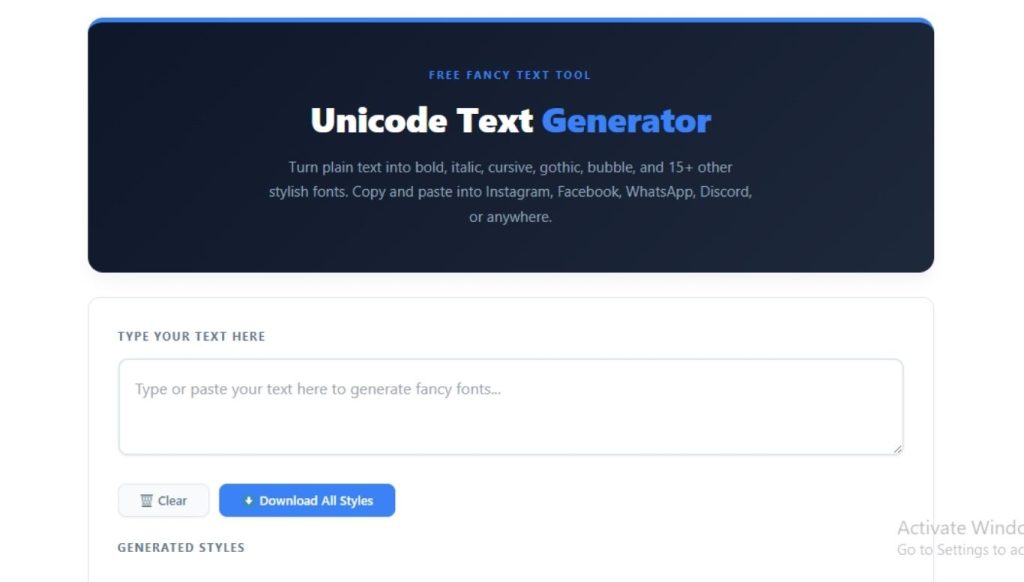
This tool converts regular typed text into dozens of different Unicode styles instantly. As you type, it generates multiple font variations at once, ranging from bold and italic styles to more decorative options like bubble text, strikethrough, or gothic lettering. Instead of searching for individual font generators one at a time, this tool displays every option in a single list for easy comparison.
How to Generate Unicode Text in Seconds
Using the tool requires no technical background at all:
- Open the Unicode Text Generator page.
- Type or paste your text into the input box.
- Browse through the generated font styles that appear automatically.
- Click the style you like to copy it instantly.
The entire process takes only a few seconds, and there is no limit on how many times you can generate new styles for different pieces of content.
Where to Use Your Generated Text
Once you copy a style, you can paste it almost anywhere, including social media bios, post captions, direct messages, and even certain website fields that accept plain Unicode characters. Many creators use these styles specifically for Instagram and TikTok bios, where a distinctive font helps a profile stand out among thousands of similar accounts.
Some platforms may render certain styles differently depending on the device or operating system, so it helps to preview your text on the actual platform before finalizing it in an important post.
Things to Keep in Mind Before Using Stylish Text
While stylish Unicode fonts look great for short pieces of text, they are not ideal for long paragraphs or body content, since screen readers and search engines may not interpret these characters the same way as standard text. For accessibility and SEO purposes, reserve Unicode styling for short, decorative elements rather than full articles or important website copy.
It also helps to test how a chosen style displays across different apps, since some older devices or platforms may show unsupported characters as blank boxes instead of the intended symbol.
Why This Tool Belongs in Every Marketer’s Kit
I manage content across multiple client accounts, and small details like a well-styled bio or an eye-catching caption often make a noticeable difference in engagement. Having a fast, reliable way to generate these styles without switching between multiple apps saves real time during content planning. I test these kinds of tools directly on my own social accounts before recommending them to clients, and the consistency of output here is what keeps me coming back to it.
Comparing Unicode Fonts to Image-Based Text
Some creators try to achieve a similar effect by turning text into an image using design software. While this approach can look polished, it comes with real drawbacks. Image-based text cannot be copied, searched, or read by screen readers, which hurts accessibility and limits how the text can be reused across platforms. Unicode text, by contrast, remains fully copyable and works instantly in text fields that do not even support image uploads, such as bios or comment sections.
For quick, everyday use cases like a bio update or a short caption, generating Unicode text is far faster than opening a design tool, and it produces a result that behaves like normal text everywhere it gets pasted.
Building a Consistent Brand Look With Stylish Text
Beyond one-off posts, some brands use a consistent Unicode style across all their profiles to reinforce visual identity. Using the same font style in every bio, pinned post, or headline creates a small but recognizable signature that followers start to associate with the brand. This works especially well for smaller accounts trying to stand out against larger competitors who may not pay attention to this level of detail.
When building this kind of consistency, save your preferred style somewhere easy to reference, such as a notes document or a shared file with your team, so everyone posting on behalf of the brand uses the same look.
Final Word
The Unicode Text Generator turns a simple, often overlooked detail into a genuine opportunity for standing out online. Whether you manage a personal brand or handle social content for clients, having quick access to stylish text options adds a small but meaningful edge to your content strategy. It takes only seconds to use, yet the visual impact can carry across every platform where you share your content.

