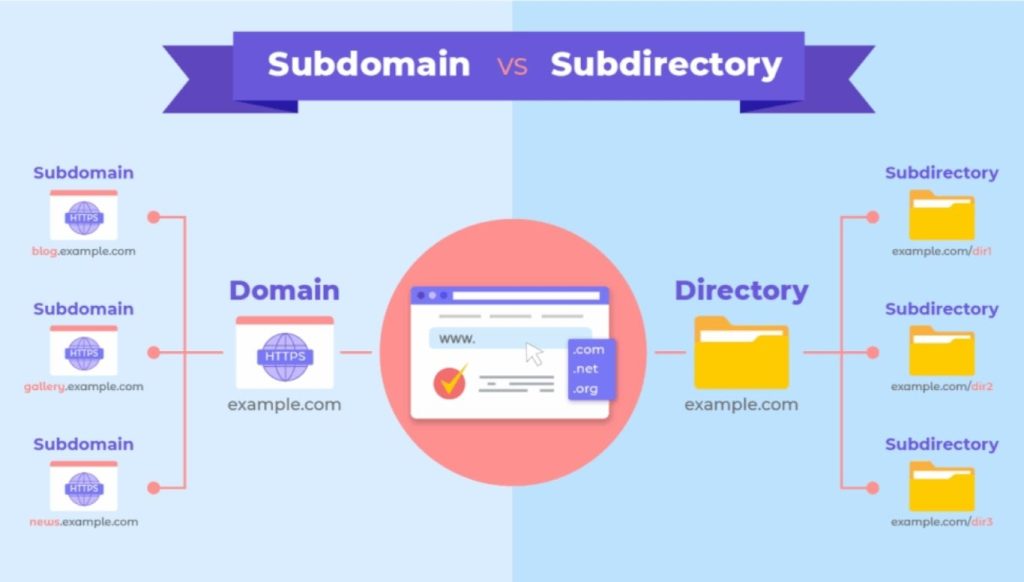
If you have ever tried to plan out a website structure, you have probably hit this question at some point. Should you put your blog on blog.yourdomain.com, or should you just use yourdomain.com/blog? It looks like a small technical decision, but it can quietly shape how your site ranks for years.
I have worked on both setups across different projects, and I can tell you this debate is not as black and white as most articles make it sound. Google itself has changed its stance on this over time, and the “right” answer really depends on what you are building and how big your team is.
Let’s break it down properly.
What Is a Subdomain?
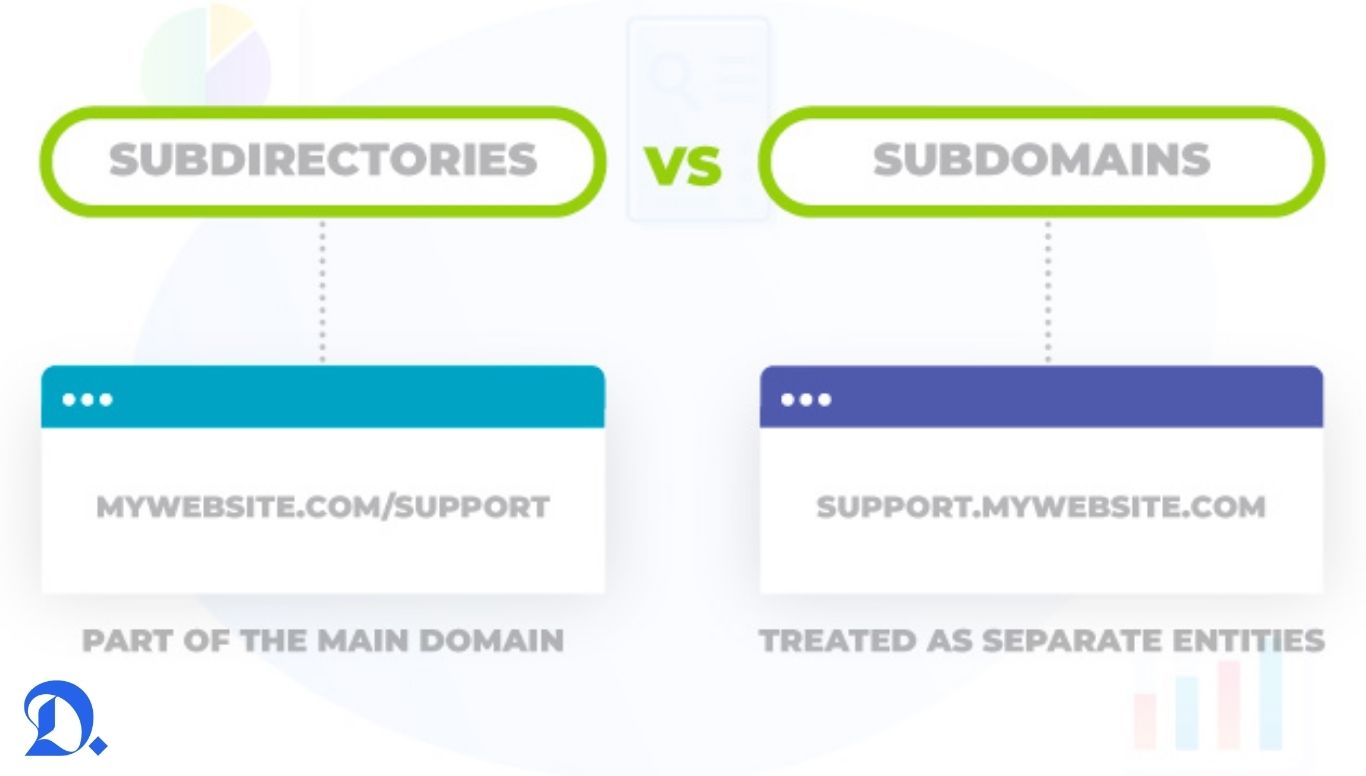
A subdomain is basically a separate section of your website that sits in front of your main domain name. It looks like this:
- blog.yourdomain.com
- shop.yourdomain.com
- support.yourdomain.com
Technically, Google treats a subdomain as a distinct entity from your root domain, at least in some situations. This means the content sitting on a subdomain does not always share the same authority, trust, and link equity that your main domain has built up. It is almost like starting a new house next to your existing one. The street is the same, but the building itself is separate.
What Is a Subdirectory?
A subdirectory, sometimes called a subfolder, lives directly inside your main domain structure. It looks like this:
- yourdomain.com/blog
- yourdomain.com/shop
- yourdomain.com/support
Here, everything sits under one roof. Any authority, backlinks, or trust signals your domain has already earned get shared across all these folders because Google sees them as part of the same website.
The Core SEO Difference
This is where most confusion happens, so let me simplify it.
When you use a subdirectory, your entire website works as one unit in Google’s eyes. If your homepage has strong domain authority, your blog section under /blog gets a boost from that authority almost automatically. New content ranks faster because it is riding on the trust your main domain already has.
A subdomain, on the other hand, often has to build its own authority from scratch. Google’s John Mueller has mentioned in various discussions that Google’s systems have gotten better at understanding subdomains as part of the same overall site, but in practice, many SEOs (myself included) still see subdirectories perform faster, especially for newer sites trying to rank content quickly.
When Subdirectories Make More Sense
In most cases, if you are running a business website, a blog, an e-commerce store, or any content-heavy site where organic traffic matters, a subdirectory structure is the safer choice. Here is why:
- New content gets indexed and ranked faster because it inherits domain trust
- Your backlink profile stays consolidated instead of getting split across multiple subdomains
- Site audits and technical SEO management become simpler since everything sits under one root
- Internal linking flows naturally between sections
I have personally seen sites gain noticeably better rankings within a few months after migrating a blog from a subdomain to a subdirectory. The content did not change. The URL structure did.
When a Subdomain Actually Makes Sense
Subdomains are not always the wrong choice. There are specific situations where they genuinely work better:
- When you are running a completely different product or service that needs its own technical environment, like a support portal built on different software
- When different teams or departments need full independent control over their section without touching the main site’s codebase
- When you are running a multilingual or multi region setup where each subdomain serves a distinct audience with separate hosting needs
- When the content type is fundamentally different from your main site, such as a job portal or a community forum
Large companies with dedicated engineering teams for each subdomain can manage the added complexity. Smaller businesses usually cannot, and that is where the subdirectory approach wins by default.
What Actually Matters More Than This Decision
Here is something I always tell people when they get stuck overthinking this choice: structure alone will not save weak content, and it will not fix a site with poor technical health either. I have reviewed sites where the owner spent weeks debating subdomain versus subdirectory while ignoring basic issues like slow page speed, missing meta descriptions, or broken internal links.
Before finalizing your structure, it helps to actually check where your domain currently stands. Tools like a domain age checker can give you a quick read on your site’s history and how established it looks from a trust standpoint, which is useful context when you are planning a bigger structural change like this one.
Our Recommendation
For the majority of websites, especially small to medium businesses, bloggers, and e-commerce stores, go with a subdirectory. It consolidates your SEO strength, keeps management simple, and gives new content a real shot at ranking without starting from zero.
Save subdomains for genuinely separate products, tools, or regional sites where independent management outweighs the SEO cost.
If you are already stuck with a subdomain setup and thinking about migrating, plan it carefully. URL migrations need proper redirects, updated sitemaps, and patience, since rankings can dip temporarily before they recover. Rushing this process often causes more damage than the subdomain itself ever did.
Get this decision right early, and you save yourself months of unnecessary SEO cleanup later.