Use Yoast SEO if you publish regularly on WordPress and want checks built into your editor. Use free online checkers if you publish occasionally, work across multiple platforms, or just need a one-time audit. Most solo bloggers end up needing both at different stages.
The Real Question Isn’t “Which Is Better?”
People land on this comparison expecting a clear winner. There isn’t one. Yoast and free online checkers aren’t even solving the same problem. Yoast lives inside your WordPress editor and checks content as you write it. Free online checkers sit outside your workflow entirely; you paste a URL or block of text in, and they hand you a report after the fact.
The better question is, where does your content actually live, and how often are you touching it?
If You Publish on WordPress Every Week
Here’s the case for Yoast. If you’re writing multiple posts a month on WordPress, having SEO feedback appear directly under your draft as you type saves real time. You see your readability score, keyphrase density, meta description length, and internal linking suggestions without switching tabs.
The free version covers the essentials: one focus keyphrase per post, basic readability analysis, and meta tag previews. It won’t do related keyphrases or advanced schema without upgrading to Premium, but for most small sites, that’s not a dealbreaker.
The downside people don’t mention enough: Yoast can make writers lazy about actual reader experiences. I’ve watched writers chase a green “good” light in the sidebar while producing sentences that read like they were built for a robot, not a person. The tool measures proxies for quality. It doesn’t measure quality itself.
If You’re Not on WordPress, or You Publish Rarely
This is where free online checkers earn their place. If your site runs on Webflow, Shopify, Squarespace, or something custom, Yoast simply isn’t an option. You need something platform-agnostic.
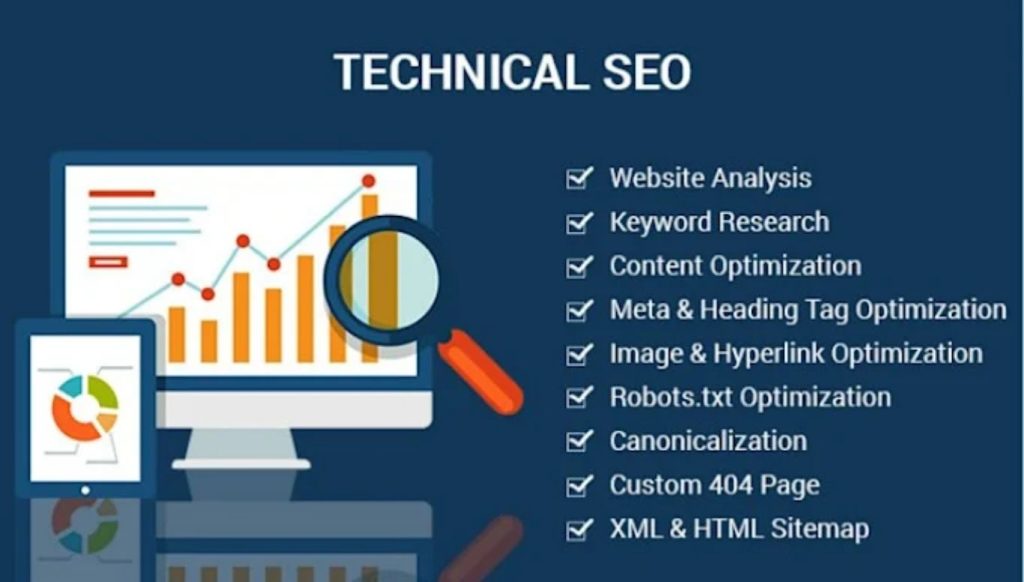
Tools like Ubersuggest’s free checks, Ryte, or SEO Site Checkup let you throw in a URL after publishing and get a structural read: title tag length, missing alt text, broken internal links, that kind of thing. They’re a snapshot, not a running companion, so they work well for people who publish twice a month rather than twice a day.
There’s also a practical case for freelancers and small agencies here. If you’re auditing a client site you don’t manage and can’t install plugins on, an online checker is often your only option anyway.
The Middle Ground Nobody Talks About: Using Both
The honest answer, and the one that took me a while to land on after managing content for a handful of small business clients, is that these tools aren’t competitors. Yoast handles the drafting stage. A free online checker handles the post-publish audit stage, catching things Yoast never checks in the first place, like page speed impact, mobile rendering issues, or how a page looks in search results after Google has actually indexed it.
I ran this exact combination on a local services client’s site last quarter. Yoast gave every page a green light during drafting. When I ran the live domain through a free site-wide checker two months later, it flagged a dozen pages with duplicate meta descriptions that Yoast had no way of catching, because Yoast only ever sees one page at a time. That’s a structural gap Yoast’s design can’t solve, no matter how good your individual drafts look.
A Quick Gut-Check for Which One You Need Right Now
If you’re asking yourself which to use today, run through this:
- Publishing three or more times a month on WordPress? Install Yoast, use it as you write.
- Auditing a site you don’t manage or don’t have plugin access to? Use a free online checker.
- Managing a multi-page site and worried about site-wide issues, not just individual posts? Use an online checker periodically, even if you also use Yoast.
- Just need a quick sanity check on one piece of content before sending it to a client? Either works; pick whichever is faster to open right now.
Where People Get This Decision Wrong
The most common mistake is treating either tool as a complete SEO strategy. Neither one tells you whether your content actually answers what people are searching for, and neither one tracks how your rankings move over time. For that, you need something closer to Search Console or a dedicated rank tracker.
The second mistake is ignoring supporting checks that live outside both tools entirely. Before investing serious content effort into a new domain, for example, it’s worth running a quick check on things like domain history through a tool like domainagechecker.co.uk, since a domain’s age and past use can affect how much initial trust it carries with search engines, something neither Yoast nor a standard online checker will tell you.
The third mistake, and I see this constantly with newer bloggers, is running a free checker once, fixing the flagged issues, and never checking again. SEO checks aren’t a one-time task. Content ages, links break, and competitors change what they’re doing. A page that passed every check six months ago can quietly slip.
Frequently Asked Questions
Is Yoast SEO actually free?
Yes, the core plugin is free with optional paid upgrades for advanced features like multiple keyphrases and internal linking suggestions.
Do I need Yoast if I already use a free online SEO checker?
Not necessarily, but if you’re on WordPress and publish often, Yoast saves time by checking content while you write instead of after.
Can free online checkers replace Yoast completely?
For WordPress users who publish frequently, not really. Online checkers work best for periodic audits, not real-time writing feedback.
Which is better for a small business website?
It depends on your platform. WordPress sites benefit from Yoast. Non-WordPress sites need a free online checker instead.
Does Yoast slow down my website?
It can add slight overhead like any plugin, but for most small- to mid-sized sites, the impact is negligible.
What does Yoast’s free version not include?
It skips multiple focus keyphrases, internal linking suggestions, and some advanced schema markup, all reserved for Premium.
Are free online SEO checkers accurate?
Generally, yes, for structural and technical checks, though they vary in depth and some limit how many pages you can check for free.
Can I use Yoast on a site that isn’t built with WordPress?
No, Yoast is a WordPress-specific plugin and won’t work on other content management systems.
How often should I run a free SEO checker on my site?
Monthly or quarterly is reasonable for most small sites, more often if you publish frequently or make structural changes.
Is Rank Math a better alternative to Yoast?
Rank Math offers more free features than Yoast’s free tier, but Yoast has a longer track record and larger support community.
Do online SEO checkers check my whole site or just one page?
It depends on the tool. Some check a single URL, others crawl your whole site, so check what a given tool actually covers before relying on it.
Should agencies use Yoast for client sites?
Only if they manage the WordPress backend directly. For sites they don’t control, an online checker is usually the practical choice.