
A single wrong line in your robots.txt file can make your best pages invisible to Google. In my experience, I have seen sites lose a shocking share of traffic overnight because one stray Disallow: / slipped into production, and nobody noticed until the rankings were gone. The fix usually takes less than five minutes once you know where to look.
In this guide, I will walk you through exactly how I test a robots.txt file for SEO errors: where to find the file, how to read every line, which mistakes matter most, and how to fix them fast. Think of robots.txt as the front-door rules for search engine crawlers, so test them before a small typo turns into a big traffic problem.
What a Robots.txt File Actually Controls
Your robots.txt file sits at the root of your site, at yourdomain.com/robots.txt, and it tells crawlers which parts they are allowed to visit. It works through a small set of directives: User-agent picks which bot the rules apply to, Disallow blocks paths, Allow carves out exceptions, and Sitemap points to your XML sitemap.
Here is the misconception I correct most often: robots.txt does not remove pages from the index, it only asks crawlers not to fetch them. A blocked page can still show up in search results as a bare URL if other sites link to it, which is a sign the rule needs a second look.
The file also shapes your crawl budget. On large sites, Google only crawls a limited number of pages per day, so wasting that budget on admin areas or faceted filters means fewer of your real pages get visited. A clean robots.txt steers crawlers toward the pages that earn you traffic.
The Most Common Robots.txt Errors (And Why They Cost You Traffic)
Most of the damage I see comes from a short list of repeat offenders. Before you test anything, skim this table so you know what a broken rule looks like when you spot it.
| Error | What it looks like | SEO impact |
| Blocking the entire site | Disallow: / under a wildcard agent |
Crawlers stop visiting; rankings and traffic collapse within days |
| Trailing-space or typo rules | Disallow: / blog/ (stray space) or Dissallow |
The rule silently fails, so pages you meant to block stay open to crawlers |
| Blocked CSS, JS, or images | Disallow: /wp-includes/ or Disallow: /assets/ |
Google cannot render your pages properly, which can hurt how they are evaluated |
| Case-sensitivity mistakes | Disallow: /Blog/ when the folder is /blog/ |
The rule never matches, so nothing is actually blocked |
| Missing or stale sitemap line | No Sitemap: directive, or one pointing at a 404 |
Slower discovery of new and updated content |
| Conflicting allow and disallow | A broad disallow plus a narrow allow that never gets read first | Important pages stay blocked while you believe they are open |
One more thing people forget: the old noindex directive inside robots.txt is no longer supported by Google. If your file still has one, it is doing nothing, so move that logic into meta robots tags or response headers instead.
How to Test a Robots.txt File for SEO Errors
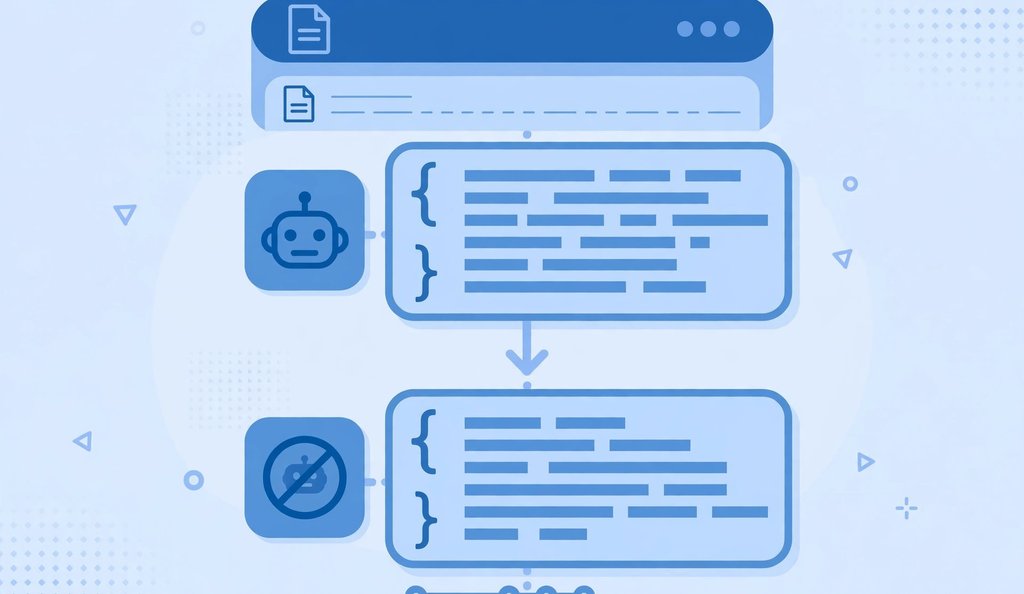
This is the five-step process I run on every site I audit, and it catches nearly every robots.txt problem that costs sites real traffic.
Step 1: Locate the File
Start by opening yourdomain.com/robots.txt in your browser. If you use WordPress, the file is often generated virtually by your SEO plugin, so also check the plugin’s file editor to see which version is actually live. Make sure you are testing the live version, not a copy on your computer or a staging server.
Step 2: Validate the Syntax Line by Line
Read the file slowly, top to bottom. Every group should start with a User-agent line, followed by its rules, and blank lines should separate the groups. Watch for typos in directive names, stray spaces inside paths, and wildcard patterns that are broader than you intended.
For a fast, reliable syntax check, I paste the whole file into a free robots.txt checker tool and let it flag malformed lines, logical conflicts, and accidental full-site blocks.
Step 3: Test Your Disallow Rules Against Specific URLs
This is the step most people skip, and it is the most important one. Take the URLs you care about, your homepage, your money pages, your newest posts, and check each one against the rules to confirm they are allowed. Then test a URL that should be blocked, like your login page, and confirm it actually is.
An seo page checker is useful here as a second opinion: if your most important page returns errors there while robots.txt looks fine, you may have a server-level block or a conflicting rule doing quiet damage.
Step 4: Confirm the Sitemap Line
Scroll to the end of the file and look for a Sitemap: directive pointing to your live XML sitemap URL. Open that URL yourself and confirm it loads and that the URLs inside match the pages you actually want indexed. A robots.txt that points crawlers at a dead sitemap is worse than having no line at all, because it creates a false sense of security.
I make this part of every broader seo website check I run, and a free sitemap checker makes it quick: it validates the sitemap structure and flags broken URLs before crawlers waste time on them.
Step 5: Review User-Agent Targeting
Finally, check which bots your rules apply to. A wildcard User-agent: * covers everyone, but many files also carry rules for specific crawlers like Googlebot or Bingbot. Make sure a specific-bot block is not accidentally overriding a general allow, and that you have not blocked a bot you depend on for traffic.
When I finish this step, I usually run a quick seo score check on the site as a sanity pass. If the score jumps after cleaning up the robots.txt and sitemap, that is a strong signal the crawl fixes are already helping.
How to Fix the Errors You Find
Finding errors is only half the job. Here is how I fix each of the common ones without breaking anything else.
- Accidental full-site block: remove the
Disallow: /line or narrow it to the exact folders you meant to block, then fetch a key page again to confirm it is reachable. - Typo and spacing errors: rewrite the directive with exact casing and no stray spaces, since one wrong character silently disables a rule.
- Blocked CSS or JS: add explicit
Allowlines for your asset folders so Google can render pages fully. - Missing sitemap: add a
Sitemap:line with the full URL of your live sitemap. - Conflicting rules: reorder the group so the specific rule sits before the general one, and retest the affected URL.
After every fix, retest the file end to end before you consider the job done. I also like to run an on-page SEO analyzer over a sample of key pages at this point, because crawl access and on-page health go hand in hand. Once the crawl rules are clean and the pages are healthy, check seo ranking over the following two to four weeks to measure the lift.

A 2026 Note: Blocking AI Crawlers Like GPTBot
One timely angle worth a deliberate decision: AI crawlers such as GPTBot and ClaudeBot are now hitting many sites hard enough to show up in server logs. Some site owners welcome the exposure in AI answers, while others block these bots to protect bandwidth and content. There is no universally right answer, only a deliberate one.
If you choose to block them, do it in a dedicated User-agent group with explicit Disallow: / lines for the named bots, and keep your Googlebot rules untouched in their own group.
FAQs
How often should I test my robots.txt file?
I recommend a quick test every quarter and a full retest after any migration, redesign, hosting move, or plugin change that generates URLs. Most disasters come from deploys, not decay, so tie the check to your release routine and regularly check seo rankings afterward to catch regressions early.
Can a robots.txt mistake really drop my rankings?
Yes, and it happens more often than people admit. Blocking a key section starves those pages of fresh crawls, and over weeks Google may treat them as less important or drop them entirely. Recovery starts as soon as you fix the file; to check website seo ranking during recovery, watch your key pages weekly for the first upward movement in crawl stats before positions follow.
What is the difference between robots.txt and a meta robots tag?
Robots.txt controls crawling: whether a bot is allowed to fetch a page at all. A meta robots tag, or the X-Robots-Tag header, controls indexing: whether an already-fetched page may appear in search results. You need robots.txt for crawl management and meta robots for index management.
Should I block CSS, JavaScript, and image folders?
Almost never. Google needs your CSS and JavaScript to render pages the way users see them, and blocking those folders can distort how your pages are evaluated. Keep asset folders open unless you have a very specific, measured reason to close them.
How do I block one specific bot without affecting Googlebot?
Create a separate group with that bot’s exact user-agent name and a Disallow: / line, and leave your Googlebot group with its normal allow rules. Test the named bot’s access and then confirm Googlebot is still fully allowed, because an over-broad wildcard above the specific group can undo your careful targeting.
Does robots.txt affect domain age or how old my domain looks to Google?
Not directly. If you are curious whether does domain age affect SEO, the short answer is that age itself is a minor signal while crawlability and content quality do the heavy lifting. Keep your crawl rules clean and check seo ranking of website improvements through consistent technical health rather than hoping age alone will carry you.
Is there one place where I can test all of this at once?
A good seo website checker bundles robots.txt validation, sitemap checks, and page-level audits into one workflow. I still recommend learning the manual five-step process above first, because understanding the rules is what lets you judge whether any tool’s verdict is actually correct.
Final Thoughts
Testing your robots.txt file is one of the highest-leverage fifteen minutes in technical SEO. A clean file protects your crawl budget, keeps your important pages discoverable, and prevents the kind of silent disaster that takes weeks to notice. Run the five steps, fix what you find, and put the file on a recurring checklist so it never drifts again.
If you want to go deeper into the official syntax and history behind every directive I covered, the Wikipedia article on robots.txt is the most reliable reference I know.

